Before you start
Open the PDF and confirm you can select and copy its text. A scanned image needs text recognition before it can be used as a text-readable PDF. Ecology limits mapping XML is also available as the preferred setup import option.
1. Open the coverage-letter import
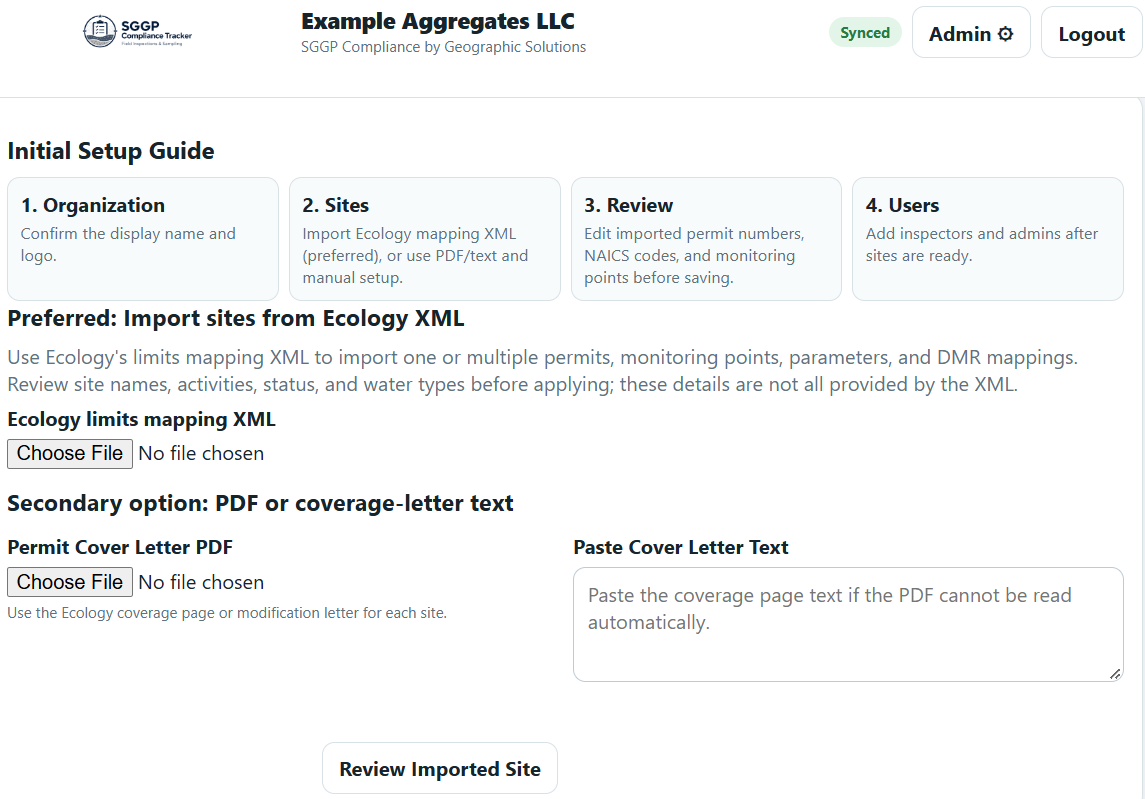
In the Initial Setup Guide, find Secondary option: PDF or coverage-letter text.
2. Select the PDF
Under Permit Cover Letter PDF, choose the coverage page or modification letter for the site. Select Review Imported Site.
3. Review the facility draft
Check the site name, permit number, status, operation, activity codes and monitoring points. Fill in missing information and correct anything the import did not interpret as intended.
4. Apply the setup
When the draft is ready, select Apply Reviewed Site Setup. Check the saved facility and monitoring points before starting field work.
If the PDF cannot be read
Copy the coverage page’s text into Paste Cover Letter Text and select Review Imported Site again. If you cannot copy text from the PDF, obtain a text-readable version or apply text recognition first.